


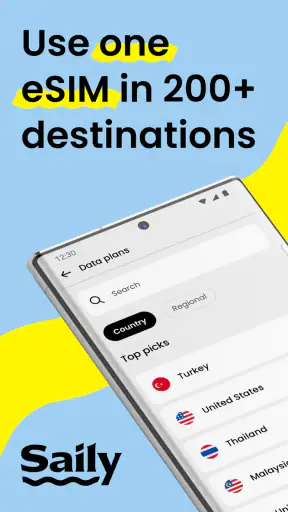
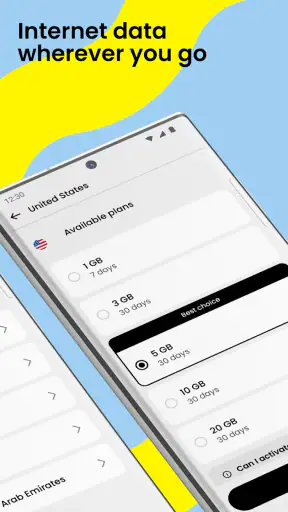
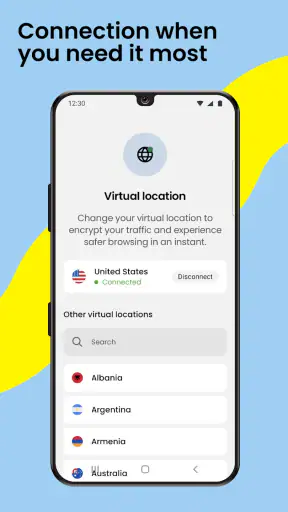
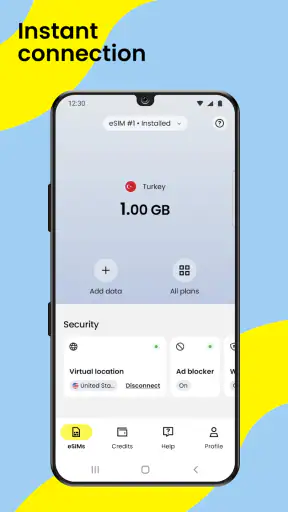
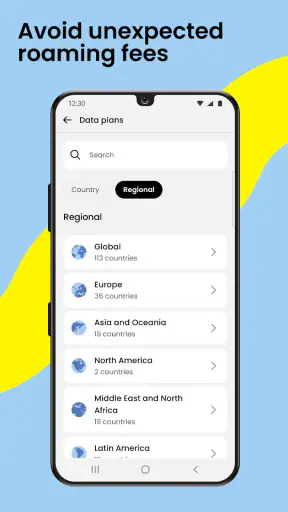


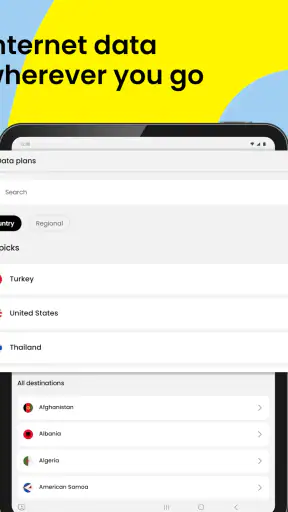
When I travel, the thing I want least is a surprise roaming charge or the distraction of hunting for a local SIM after landing. Saily approaches that problem with prepaid travel eSIM data plans, and that single capability is the reason I find it worth considering. It is a Travel & Local app from Nord Security, available free to install, with plans covering more than 200 destinations. The important point is not that it replaces every mobile arrangement; it gives me a practical way to add travel data without physically changing the SIM I already use.
That distinction matters. I can keep my normal number and messaging setup available while using a separate travel data connection for maps, ride-hailing, translation, booking confirmations, and occasional browsing. In my experience, this is much less disruptive than treating travel connectivity as a complete replacement for my everyday phone service. The real benefit is controlled access to mobile data when I cross a border, not a promise that every part of my phone plan disappears.
Using Saily as a travel data layer
What the eSIM capability changes
An eSIM is a digital mobile profile rather than a small plastic card. With Saily, the travel connection can be prepared before a trip and used once I arrive, provided my phone supports eSIMs and meets the app’s operating-system requirement. The app currently requires Android or iOS version 10 or later, so checking the phone’s software and eSIM compatibility before buying is an important first step.
I like the separation between my regular SIM and the travel plan. Removing a physical SIM can create unnecessary problems: it is easy to misplace, and changing cards can make it harder to remember which number is active. Keeping the everyday SIM in place means I can still receive important calls or texts according to my normal carrier settings, while directing mobile data through the travel eSIM. That setup is especially useful for people who need their usual number for account verification or family contact.
The prepaid approach also changes how I think about spending. Instead of allowing ordinary roaming to continue in the background, I choose a travel data plan for the destination and use that allowance. It is not the same as unlimited connectivity, and I still need to pay attention to how I use data, but the arrangement is easier to understand than a roaming bill that grows while I am busy travelling.
Preparing before leaving home
I would install Saily while connected to reliable Wi-Fi, sign in, and look for the destination plan before the airport or train station becomes crowded. The best time to deal with eSIM setup is when I still have time to read the instructions and check the phone settings. Waiting until arrival can turn a simple task into a stressful one if the airport Wi-Fi is slow, unavailable, or overloaded.
There is also a useful practical distinction between installing an eSIM and actually using it for data. I would treat installation as preparation and activation as the travel step. After landing, I would select the Saily line for mobile data, check that data roaming is configured for that eSIM if the phone requires it, and make sure my main line is not silently using roaming data. The exact menu names vary between Android and iPhone, but the principle is the same: identify the line carrying data before opening maps or streaming anything.
I would also download anything essential in advance. Offline maps, boarding passes, hotel details, and translation packs reduce pressure on the connection and preserve the prepaid allowance. An eSIM is helpful, but it does not make a weak local signal stronger, and it cannot compensate for poor preparation when a vital reservation is only stored in an online account.
A realistic arrival-day routine
Imagine I land in another country with a train reservation, a hotel address, and a need to find the correct platform. Before leaving the terminal, I open the phone’s SIM settings, select the travel eSIM for data, and leave my regular line available for the communication I still need. I can then use a map, request a ride, message the hotel, and check the train information without searching for a shop selling a local SIM.
The advantage becomes even clearer during a short trip. For a weekend away, buying and registering a physical SIM can feel like too much administration, while relying on hotel Wi-Fi leaves gaps between locations. Saily fits the middle ground: I prepare once, use data as I move around, and remove or disable the travel profile when I return. That workflow is more convenient than carrying a second card for a brief visit.
For a longer journey through several countries, I would read the destination details carefully before committing. Coverage across many destinations is useful, but “covered” does not mean identical service everywhere. Local network availability, plan rules, and the amount of data I need can affect whether one plan is suitable for an entire itinerary. If my route crosses borders, I would confirm that the selected plan matches all the places I expect to visit rather than assuming that a plan for one country automatically follows me everywhere.
What happens to calls and messages?
This is where expectations need to be precise. Saily is primarily valuable as a travel data connection. It should not be treated automatically as a replacement for my existing phone number, voice plan, or text-message service. I would keep my ordinary line active when I need calls or verification messages, but I would review its roaming settings so that keeping the line available does not accidentally make it the data line.
Internet-based communication apps can work over the travel connection, just as they do over Wi-Fi, but that depends on the individual app and the people I need to reach. If someone must call my regular number, Saily does not by itself guarantee a new conventional phone service for that purpose. This is one reason the app is best understood as an additional data layer rather than a complete mobile replacement.
That arrangement can be a strength for travellers who already use messaging apps, cloud services, and online maps. It is less attractive for someone whose trip depends heavily on ordinary voice calls or who wants one new local number for restaurants, taxis, and businesses. In that case, a traditional local SIM or a carrier travel package may be a better fit.
Small habits that prevent avoidable trouble
I would label the eSIM clearly in the phone settings, especially if I have used several travel profiles. A name such as “Japan trip” or “Europe data” is easier to understand than a generic line label when I am tired after a flight. I would also check which line is selected for mobile data after every major change, because phones can preserve an old preference even when a new profile has been installed.
Another useful habit is to turn off automatic downloads and background refresh for data-heavy apps during the trip. Photo backups, video feeds, and app updates can consume a prepaid allowance without helping me navigate or communicate. I would leave essential services available and postpone large downloads until Wi-Fi. This is not a Saily-specific setting, but it has a direct effect on how long a travel plan remains useful.
I would keep the activation information and account access available before leaving home. If I lose access to email, forget a password, or cannot receive a verification message on arrival, troubleshooting becomes harder. Preparing the account while my regular connection still works is a simple step that makes the eSIM experience much smoother.
Where the trade-offs appear
The first limitation is device compatibility. A phone running a recent operating system is not automatically eSIM-capable, and some carrier-locked devices may restrict which profiles can be added. I would check both points before building a trip around the service. This is particularly important with older phones, second-hand devices, and models purchased in markets with different hardware configurations.
The second trade-off is data management. Prepaid data gives me a clearer boundary than uncontrolled roaming, but I still need to understand my own usage. Frequent video calls, cloud photo uploads, navigation with live imagery, and social video can use data quickly. For a light traveller who mainly needs messages and maps, a modest plan may be comfortable. For remote work or heavy media use, I would compare the allowance carefully with a local carrier option or a hotel connection.
Signal quality is another practical consideration. Saily can provide access to a travel network, but the phone is still dependent on local coverage and the conditions in the place I am visiting. Underground stations, rural roads, crowded events, and buildings with poor reception can interrupt service. I would not rely on any mobile data plan as my only source of directions for a remote hike or as the sole way to access an emergency document.
There is also the learning curve of using two lines. The setup is not difficult, but it requires attention to the data selector, roaming switches, and which line handles calls. Someone who wants a completely automatic experience may find a domestic carrier’s international add-on simpler because the carrier controls the whole arrangement. Saily is more flexible, but that flexibility places a little more responsibility on me.
How it compares with ordinary travel options
Compared with paying standard roaming through my home carrier, Saily offers a more deliberate prepaid workflow. The carrier option can be convenient because nothing new needs to be installed, but it may be harder to separate travel usage from the rest of the account. With Saily, I can make the travel eSIM the data line and keep the main SIM in reserve for the functions that matter.
Compared with buying a physical local SIM, the main advantage is convenience. I do not need to remove a card, find a retailer immediately, or risk losing my original SIM. A local physical SIM can still be preferable for a long stay, frequent local calls, or access to a local number. It may also suit travellers who want in-person help with activation rather than managing the setup themselves.
Compared with relying only on public Wi-Fi, the eSIM is much more useful between airports, cafés, hotels, and attractions. Public networks can be unavailable exactly when I need a map or booking confirmation, and repeatedly joining unfamiliar networks is inconvenient. I still prefer trusted Wi-Fi for large downloads and sensitive tasks when appropriate, but mobile data gives me continuity while moving.
Finally, compared with carrying a second phone, Saily is less cumbersome. I can keep the travel connection on the device I already use, with the caveat that the phone must support the required setup and I must configure the lines correctly. For most short leisure trips, that is a sensible compromise.
Who will get the most from it
I think the strongest audience is the traveller who wants dependable data for practical tasks without changing their everyday number. That includes weekend visitors, people taking several international trips, students moving between destinations, and anyone who uses maps and messaging more than traditional phone calls. The app’s free installation and Everyone content rating make it approachable for a broad audience, while the large existing user base suggests it is not an obscure experiment: it has passed five million installs, carries a 4.5 average from roughly ninety-five thousand ratings, and has about one thousand two hundred written reviews.
Those figures are useful context, but they do not remove the need to judge the service against my own travel style. A high rating cannot tell me whether my phone supports eSIM, whether the destination has suitable coverage, or whether my data habits will fit a prepaid plan. I would use the app’s version information as another reason to keep the app updated before departure; the current version is 3.52.0, and updating over home Wi-Fi is preferable to doing it at the airport.
I would be more cautious about recommending it to someone who needs a local telephone number, expects extensive voice calling, or plans to use large amounts of data for work. Those travellers may be happier with a local SIM, a carrier package, or a dedicated business arrangement. Likewise, anyone uncomfortable adjusting dual-SIM settings should ask whether the convenience of an eSIM outweighs the small amount of configuration involved.
My final take after using the travel-data approach
Saily succeeds when I judge it for what it does best: making travel data easier to arrange before I arrive and easier to separate from my normal mobile service. Its strongest use is not unlimited everything; it is the calm, practical connection I can use for navigation, messages, reservations, and everyday travel tasks while avoiding the need to swap a physical SIM.
Nord Security has placed the app in the Travel & Local category, and that focus feels appropriate. The service is most convincing when it stays in the background and lets me get on with the trip. I prepare the eSIM, choose it for data, monitor my usage, and keep offline backups for important information. Once those habits are in place, the arrangement feels considerably less disruptive than traditional roaming or last-minute SIM shopping.
My recommendation is therefore specific rather than universal. If your phone supports eSIM, your trip depends mainly on mobile data, and you want to keep your usual SIM available, I would put Saily high on the shortlist. If you need a local number, heavy data, or a hands-off carrier-managed experience, I would compare other options first. For the right traveller, though, its prepaid travel eSIM model solves a very real arrival-day problem with less luggage, less searching, and much better control over how the phone connects abroad.


